
How known errors reach your portal
The known-error lifecycle in Kenvara, the known error database for Jira Service Management, in the order a person works it. Every string on this page is the one the app shows.
From a problem to a known issue on the portal
A problem is analysed
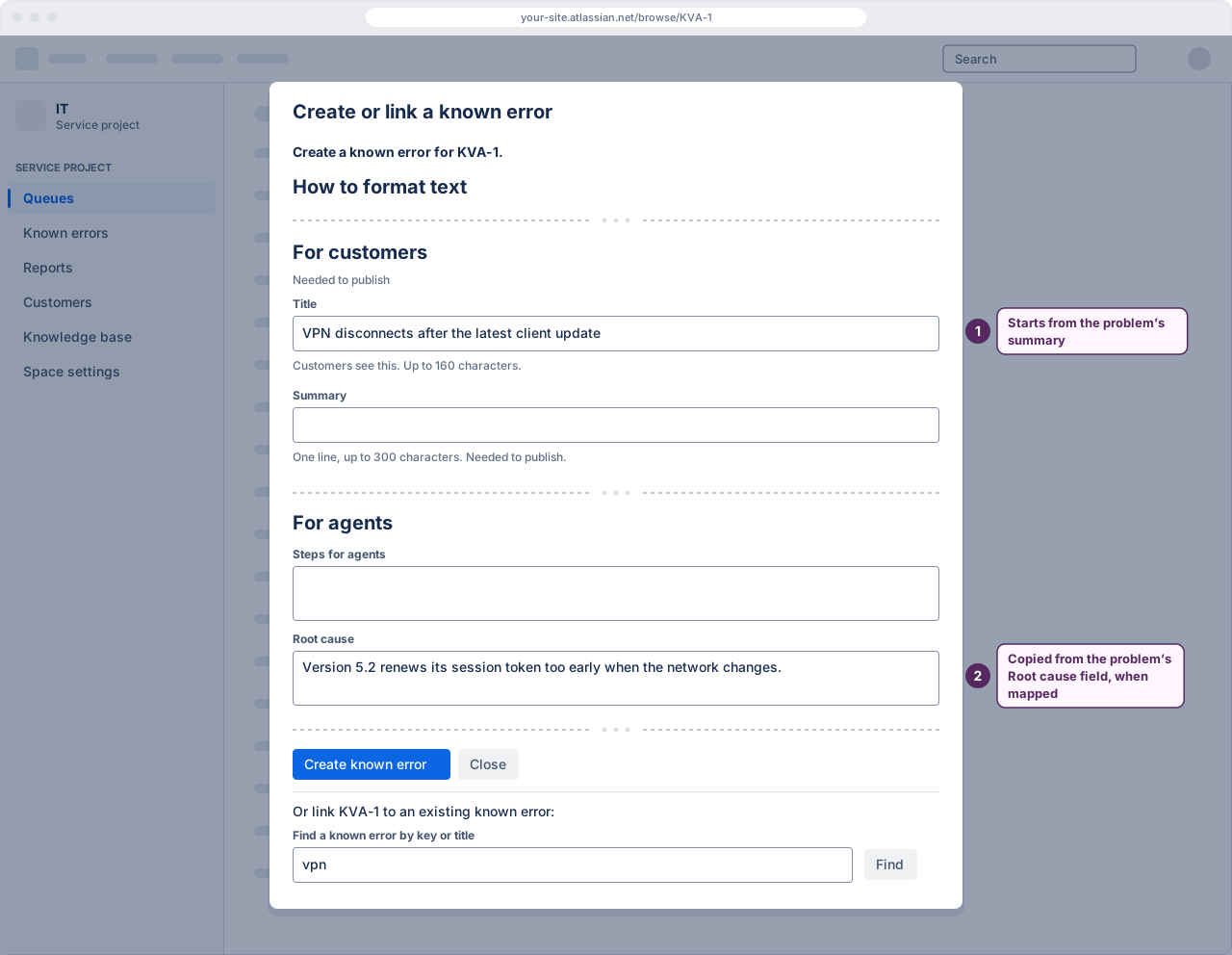
An agent working a problem chooses “Create or link a known error…” from the work item's Known errors panel or from its actions menu. The record starts as a candidate: internal, and invisible to customers.
 (opens the full-size illustration)
Illustration: Kenvara's "Create or link a known error" dialog on a problem The record is written
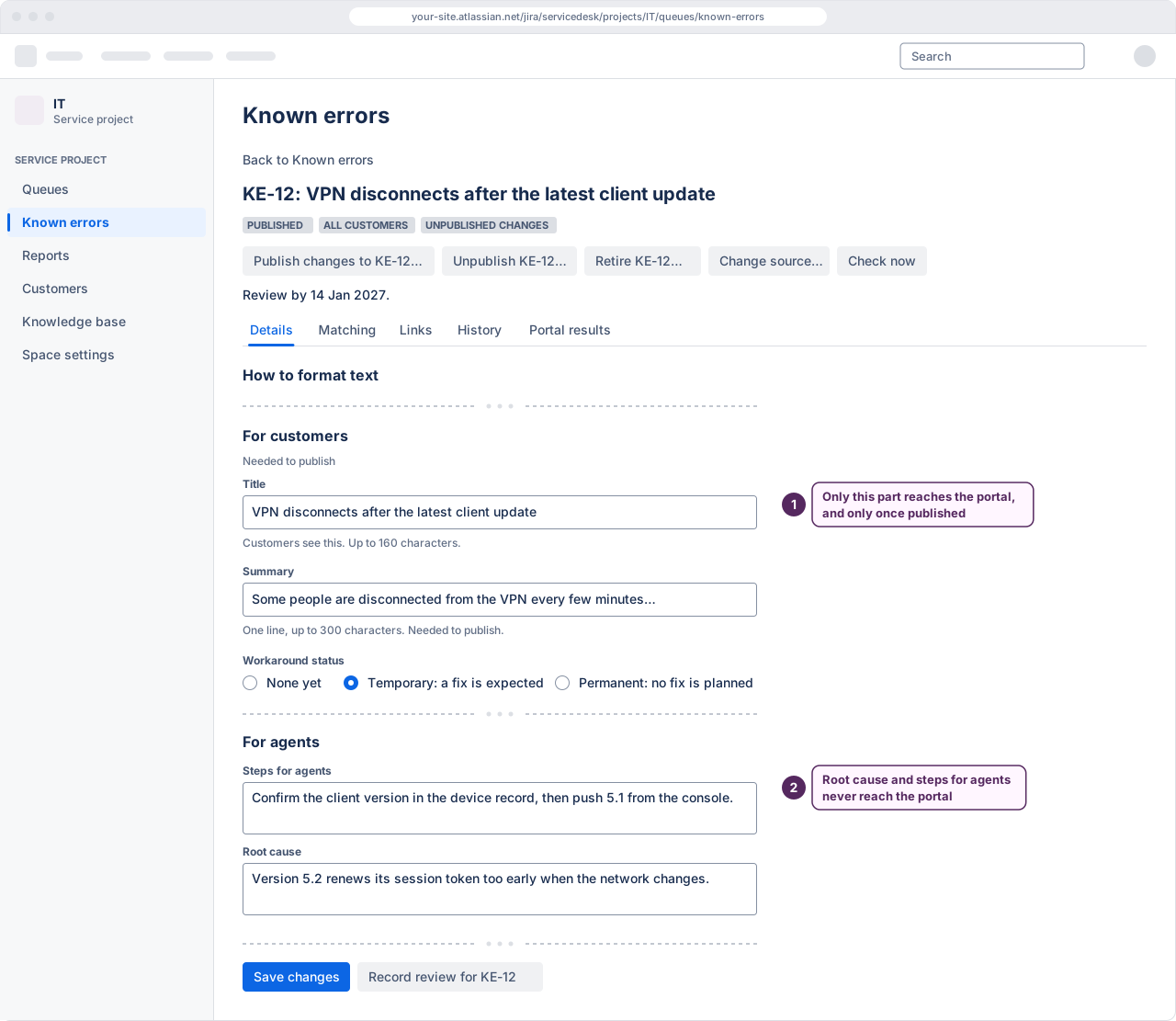
Symptoms, a workaround and its status — none, temporary or permanent — and a separate message written for customers. Customers read only the parts written for them; the root cause and the steps for agents never reach the portal.
 (opens the full-size illustration)
Illustration: a known error open in Kenvara's workbench A publisher chooses the audience
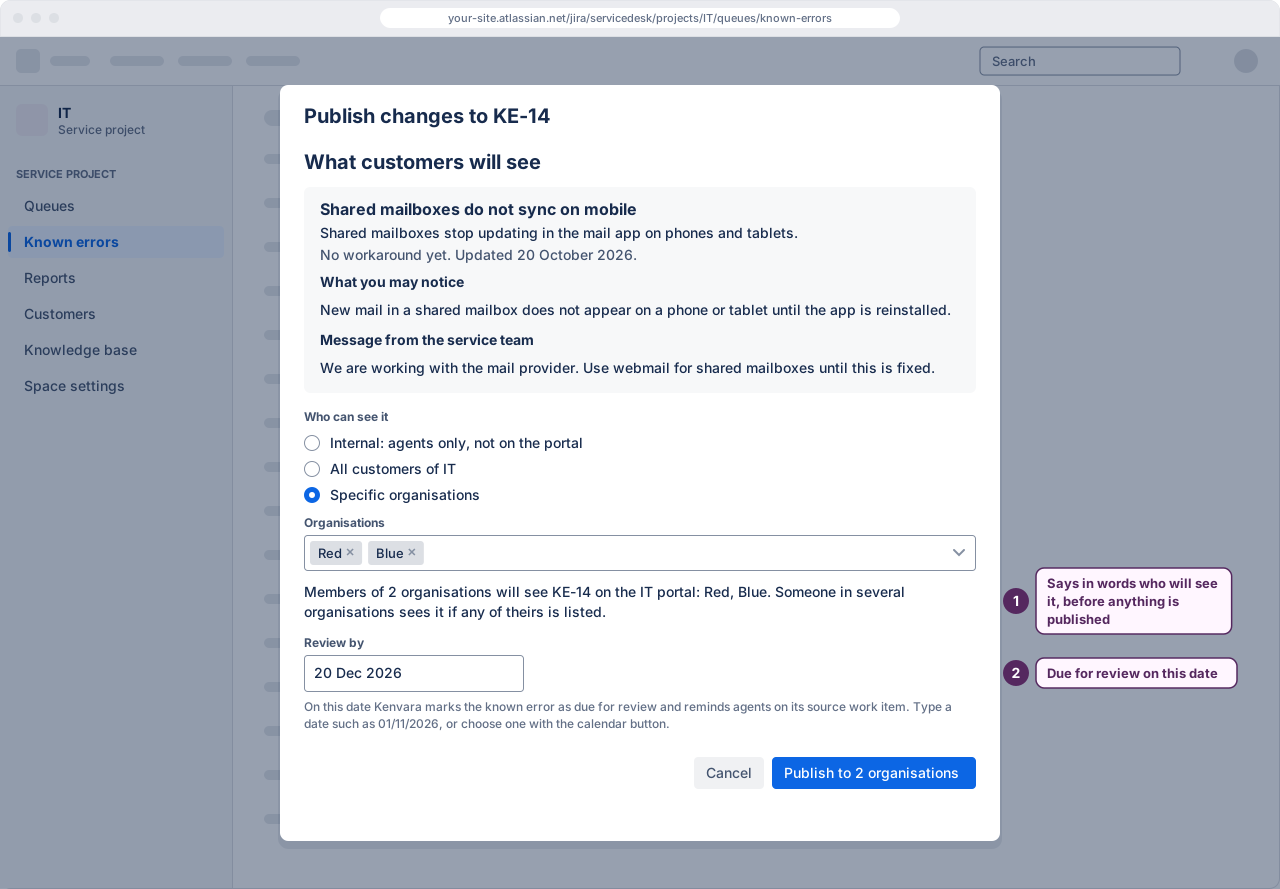
Internal keeps it inside the team. All customers shows it to everyone who can see the portal. Specific organisations names the customer organisations that may see it. Customers who sign in with an Atlassian account are scoped by organisation only once Kenvara's daily check of the site's organisations covers three or more and is current; until then, and for anyone who belongs to more than half of the site's organisations, they see only known errors published to all customers.
 (opens the full-size illustration)
Illustration: Kenvara's publish dialog It is published
Publishing is a deliberate step by somebody with permission, not a side effect of editing. From then on the portal shows it to the customers entitled to see it, and to nobody else.
It is reviewed
A published record is due a review on a schedule. Kenvara nudges the people responsible rather than letting a stale workaround sit on the portal.
It is retired
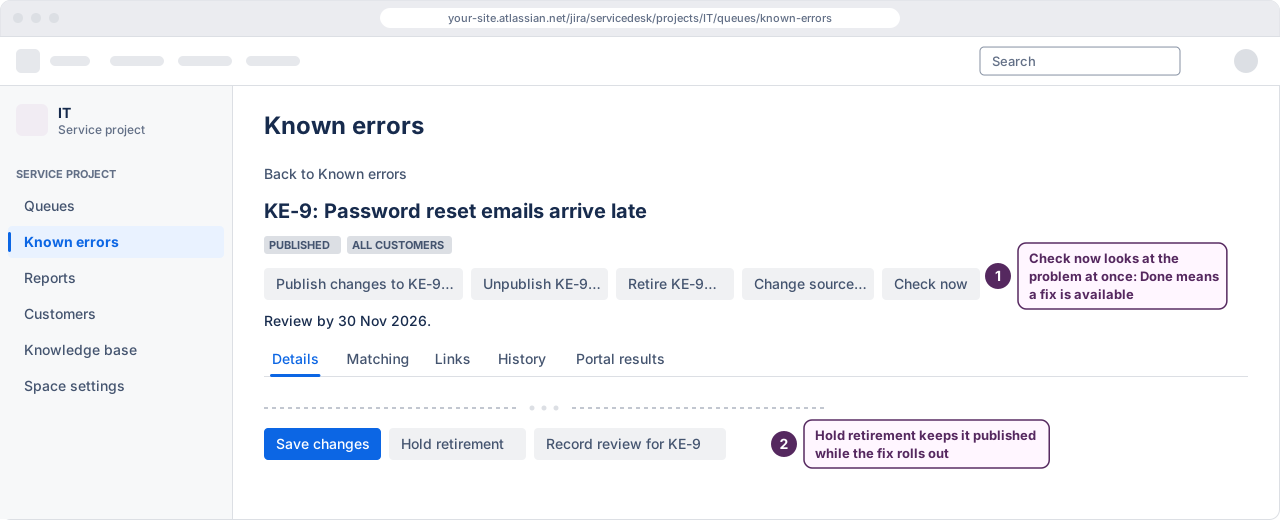
When the problem it was written from moves to Done, the known error is marked Fix available, reads “Fix released.” on the portal and retires after a grace period, 14 days by default, unless a publisher holds it. A known error whose workaround is permanent, or whose problem was closed with a resolution marked as not fixed, stays published. Retiring removes it from the portal; the record and its history stay for the audit.
 (opens the full-size illustration)
Illustration: a known error whose fix is released, in Kenvara's workbench
Each step, as a task: promoting a known error, publishing and audiences and reviews and retirement.
Who sees what
| Role | What they see |
|---|---|
| Author | Every known error on the service projects they work, at any status. |
| Publisher | The same, and may change an audience and publish or retire a record. |
| Administrator | The settings: which service projects are on, which surfaces, which work types count as problems and incidents, and the services customers recognise. |
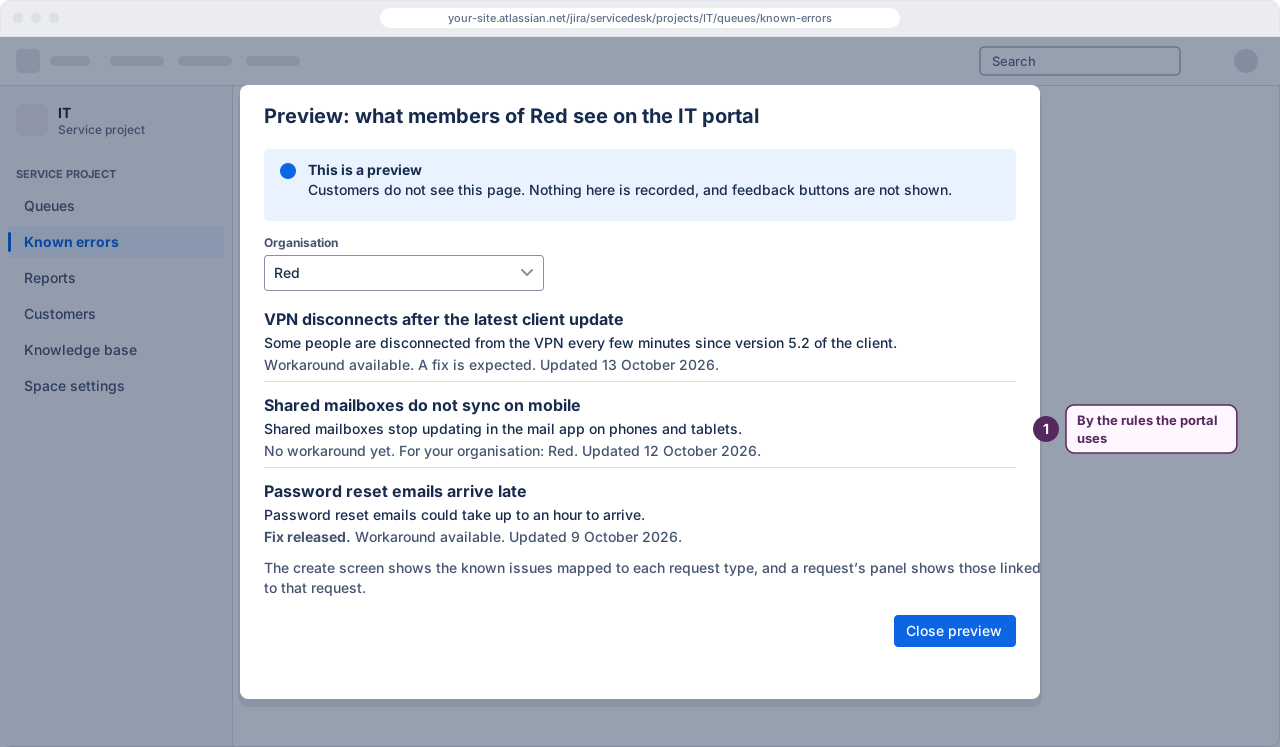
| Customer | Published known issues on the portal they can reach, and only those their organisation is entitled to see. |
A customer is never shown a record their organisation is not entitled to see. Not linked, not found and not entitled all answer the same way, so nothing can be learned from the difference. How that is enforced, and how organisations and MSPs are handled.
 (opens the full-size illustration)
Matching
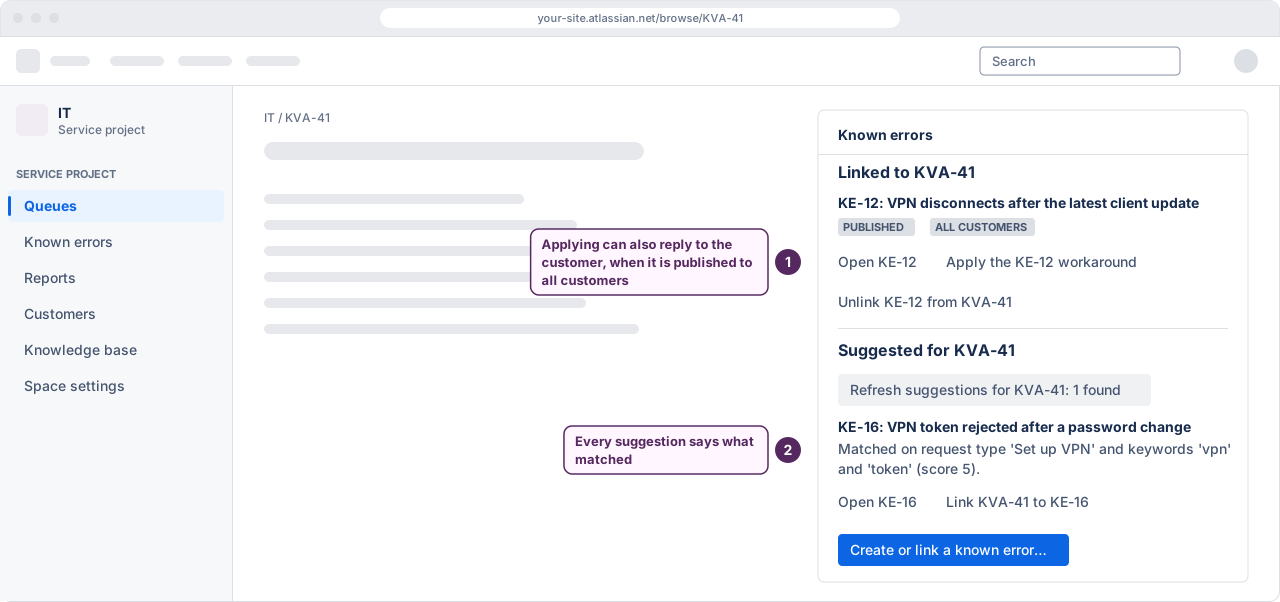
On a problem or incident, the Known errors panel suggests known errors that look like it, under “Suggested for” the work item. A known error is suggested when the work item's request type is one chosen on its Matching tab, when that request type belongs to a service chosen there (a project administrator names the services and their request types), or when three of its keywords appear in the work item's summary or description; each suggestion says what it matched on. Agents select “Show suggestions for” the work item, unless a project administrator has them load with the panel. A person links or ignores each suggestion; nothing is linked automatically and nothing is published automatically. Matching, in the guide.
 (opens the full-size illustration)
When the licence is not active
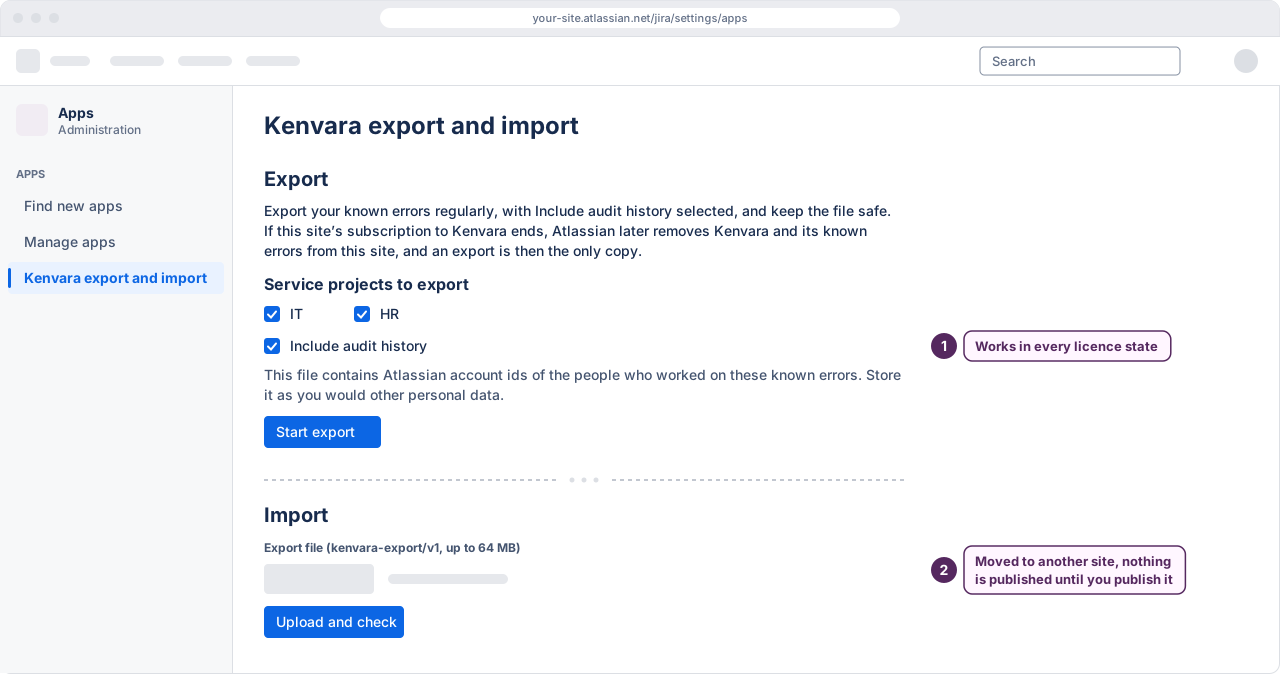
Kenvara is paid through Atlassian. Without an active licence it is read-only, with export: customers see nothing from Kenvara on the portal, agents can read but not create, edit or publish, anything that only switches something off still works, and a Jira administrator can export every known error with its audit history.
Backup and moving sites
The export is one file, includes the audit history, and works in every licence state. Moving to another site is an export, then an import into Kenvara there, and an import that is not a restore on the same site arrives unpublished, so nothing reaches a portal until somebody publishes it again. Backup and migration, step by step.
 (opens the full-size illustration)