
Known error database features
What the released version of Kenvara, the known error database for Jira Service Management, does. Nothing here is planned work: a feature appears on this page when it ships. Every feature is in the one app while its licence is active. A feature that waits on a check of Atlassian's platform says so.
The record
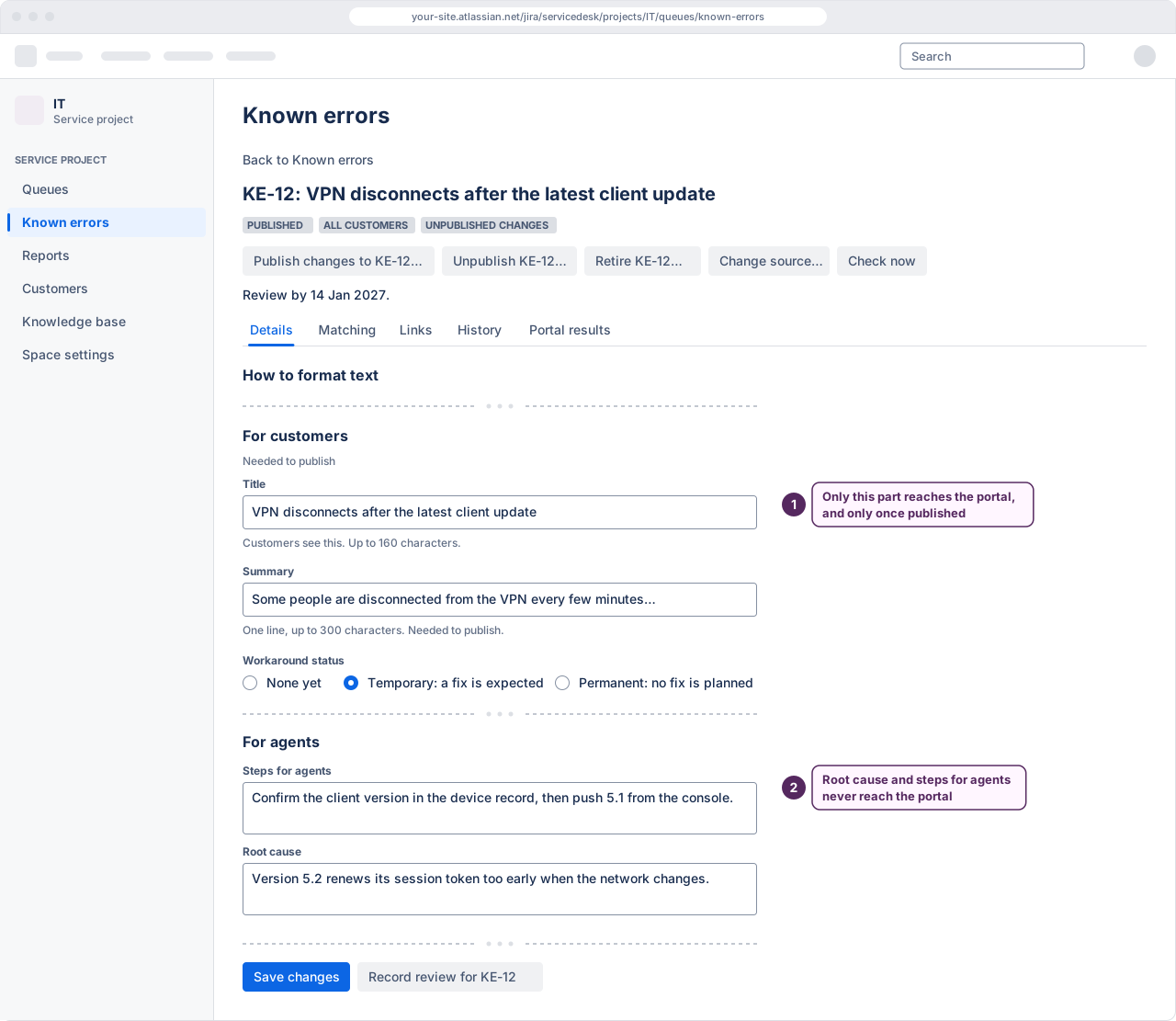
Known-error records
Symptoms, a workaround with its status, and a separate message written for customers. Held in the app's own database, not in work-item fields.
Workaround status
None, temporary or permanent, stated on the record and on the portal.
Candidate, published, retired
One lifecycle. A record is visible to customers only while it is published.
Revision history
Every change to a record is kept, with who made it and when.
Append-only audit
Each event is written before the change it records, and nothing rewrites it.
 (opens the full-size illustration)
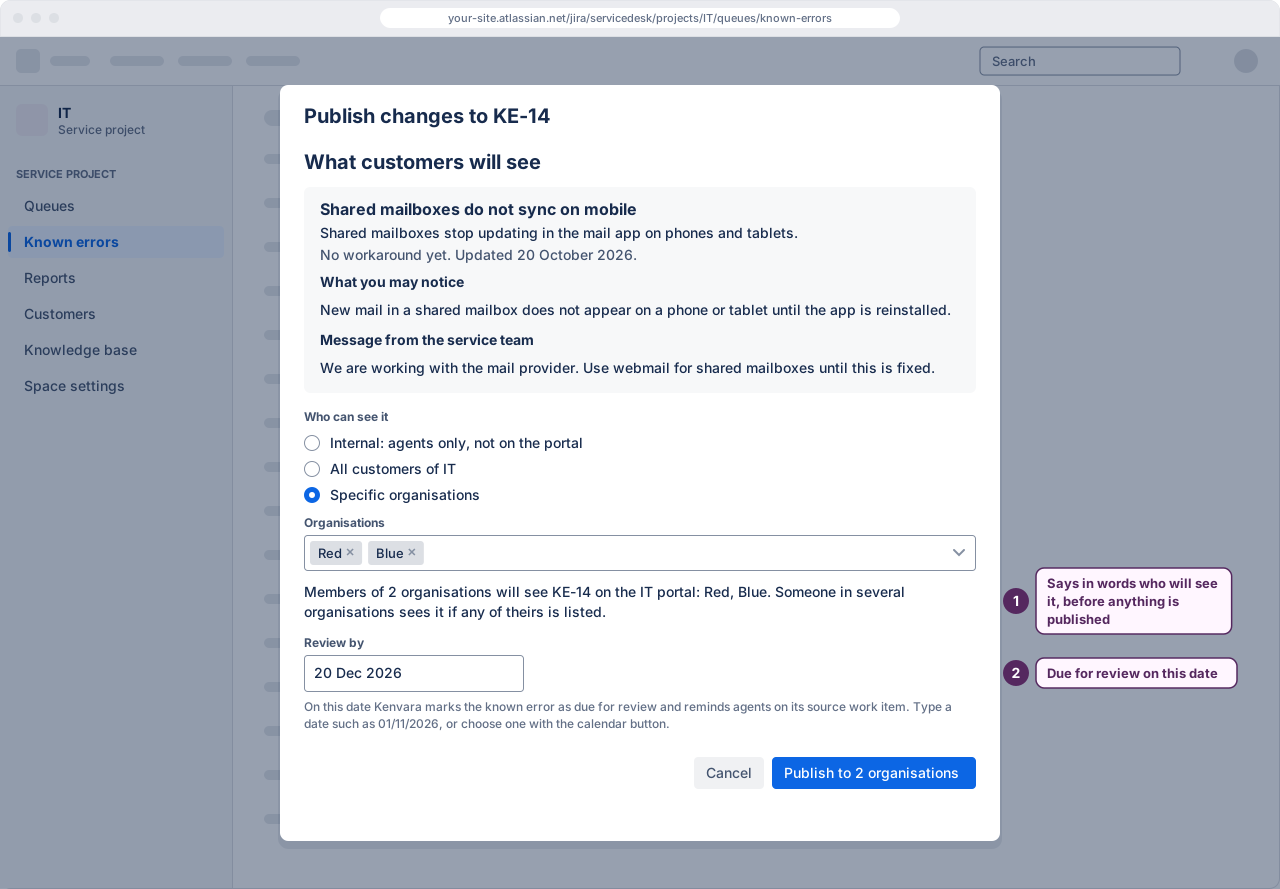
Audiences
Internal
Agents and problem managers only. Nothing reaches the portal.
All customers
Every customer who can see the service project's portal.
Specific organisations
Only the customer organisations named on the record, checked on the server on every request.
Atlassian's platform checks have passed for customers with portal-only accounts and for customers who sign in with an Atlassian account. Those who sign in with an Atlassian account are scoped by organisation only once Kenvara's daily check of the site's organisations covers three or more and is current; until then, and for anyone who belongs to more than half of the site's organisations, they see only known issues published to all customers.
 (opens the full-size illustration)
In the agent's work
The workbench
One place to read, write, publish and retire known errors for a service project.
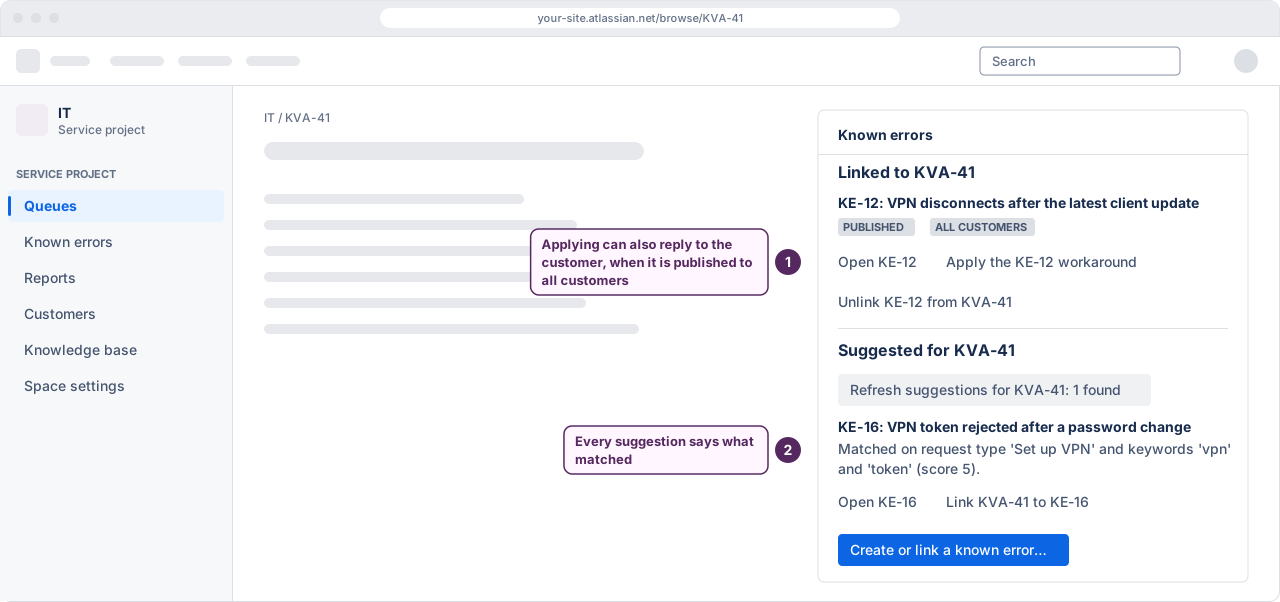
On the work item
A panel on a problem or incident showing the known errors linked to it, and an action to create or link one.
Links to problems and incidents
A record points at the work items it came from, so the two stay together.
Matching
Known errors suggested on a problem or incident, by request type, by the service a project administrator assigns that request type, or by three keywords in its summary or description, for a person to link or ignore.
Preview as organisation
On the workbench, choose a customer organisation and see the known issues its members would see on the portal, with nothing recorded.
Reviews and retirement
A nudge when a published record is due a review, and a cascade that retires it when its problem closes.
 (opens the full-size illustration)
On the customer portal
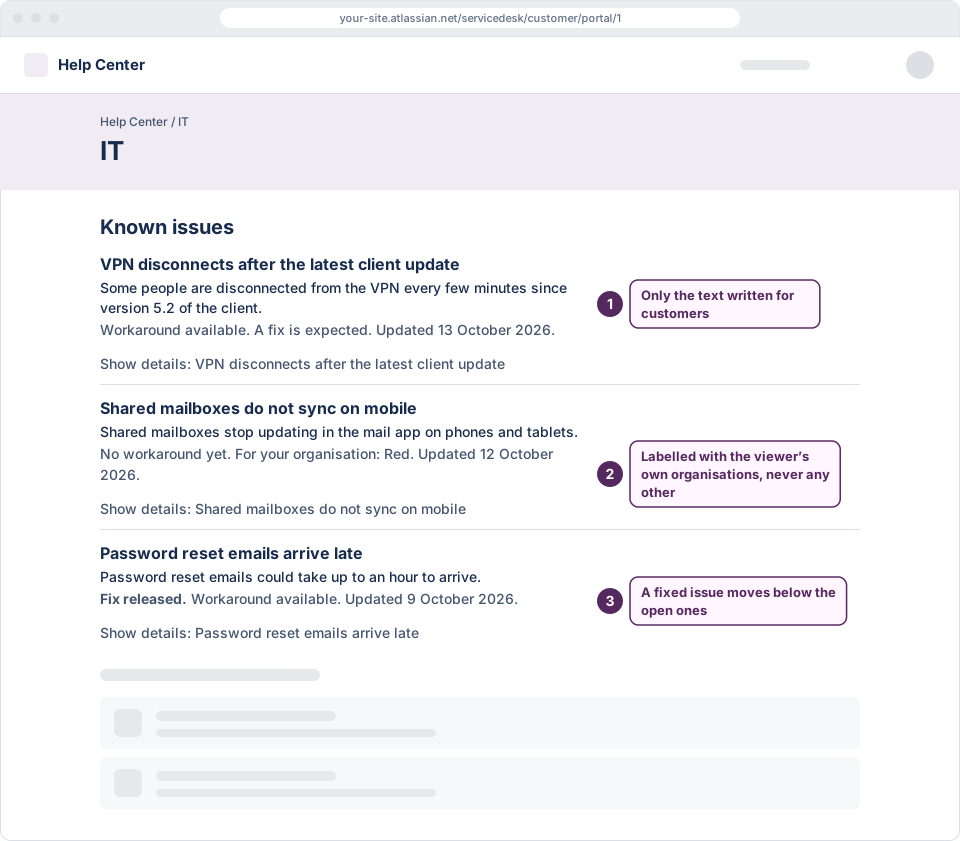
Known issues on the portal
Published records shown to the customers entitled to see them in three places, each switched on separately: a list on the portal's home page, the create screen for the request types a record is mapped to, directly or through a service, and a panel on each request.
Did this answer your question?
A count per known issue, with no free text. Each answer is kept for 30 days with a one-way code in place of who gave it, then only counts remain.
 (opens the full-size illustration)
Administration
On, desk by desk
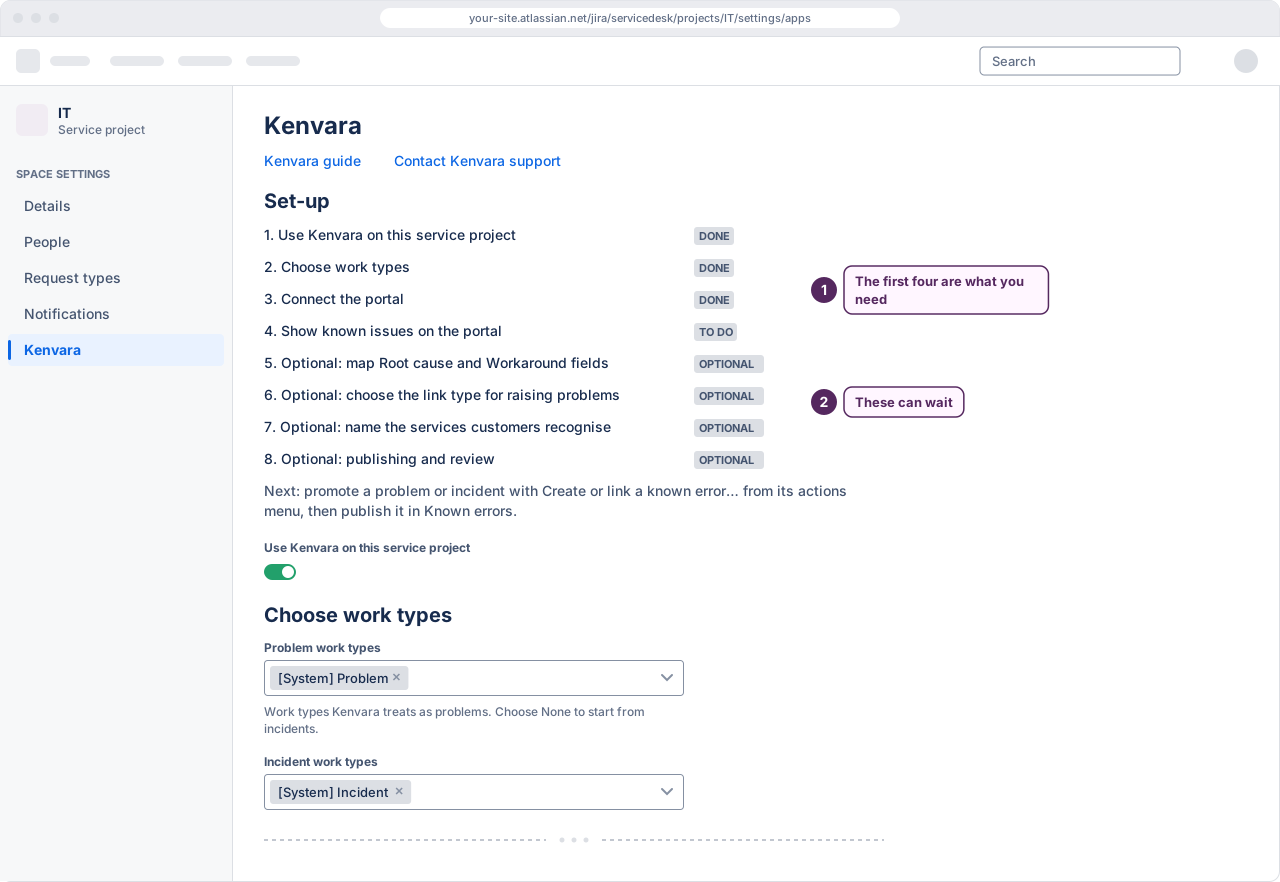
Each service project is switched on by its own administrator, and each portal surface separately.
Which work types count
Tell the app which of the project's work types are problems and which are incidents, because a new service project may have no problem work type.
Services
Name the services customers recognise, up to 200 per service project, and choose the request types each one covers.
Export and import
A full backup in an open format, including audit history. The export works whatever the licence's state, for backup, restore and moving to another site.
Turn off now
Turns off organisation scoping for customers who sign in with an Atlassian account: they then see only known issues published to all customers until an administrator selects Re-enable. Portal-only customers are not affected.
 (opens the full-size illustration)
What it does not do
- It does not show known issues to visitors who are not signed in.
- It does not list known issues across a whole help centre: a portal at a time.
- Its portal surfaces do not render on Customer Service Management support sites.
- It does not publish to the Confluence knowledge base.