
Kenvara, a known error database for Jira Service Management
Known errors on your portal, for each customer organisation.
Kenvara is a known error database (KEDB) for Jira Service Management. Agents and problem managers keep known errors beside the problems they came from; customers read the published ones as known issues on the portal. What a customer may see is decided on the server, on every request.
 (opens the full-size illustration)
Where it appears
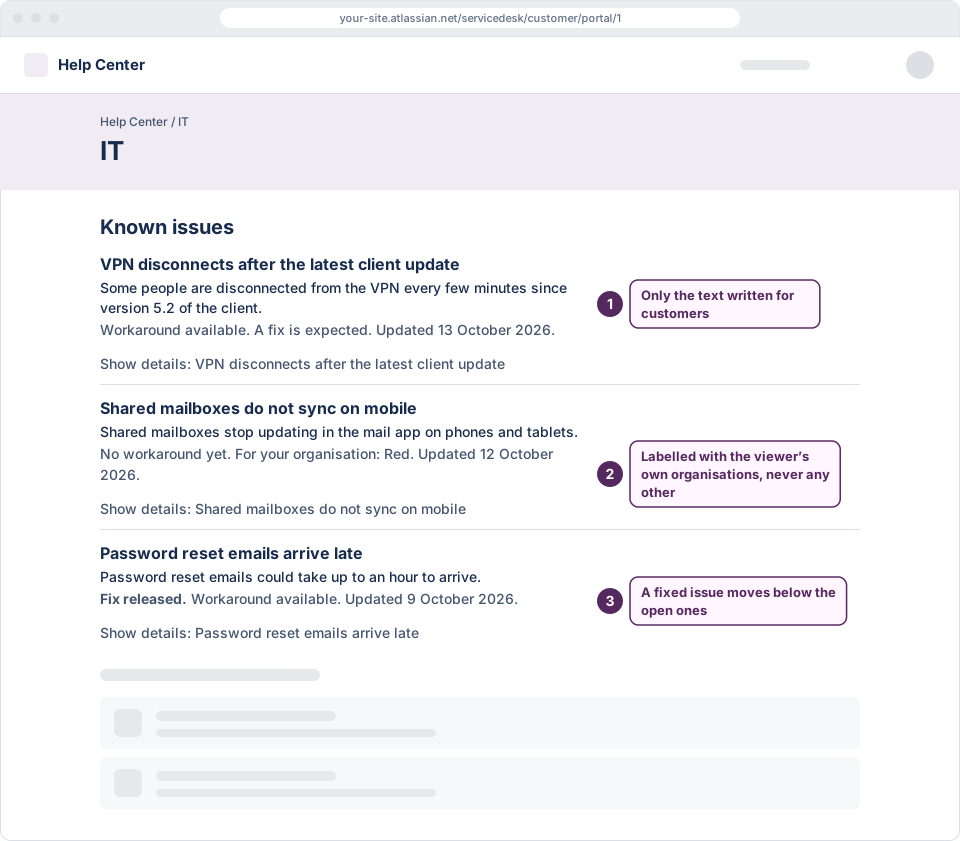
On the portal’s home page
A list titled “Known issues” of the published known issues a customer may see, before they raise a request.
 (opens the full-size illustration)
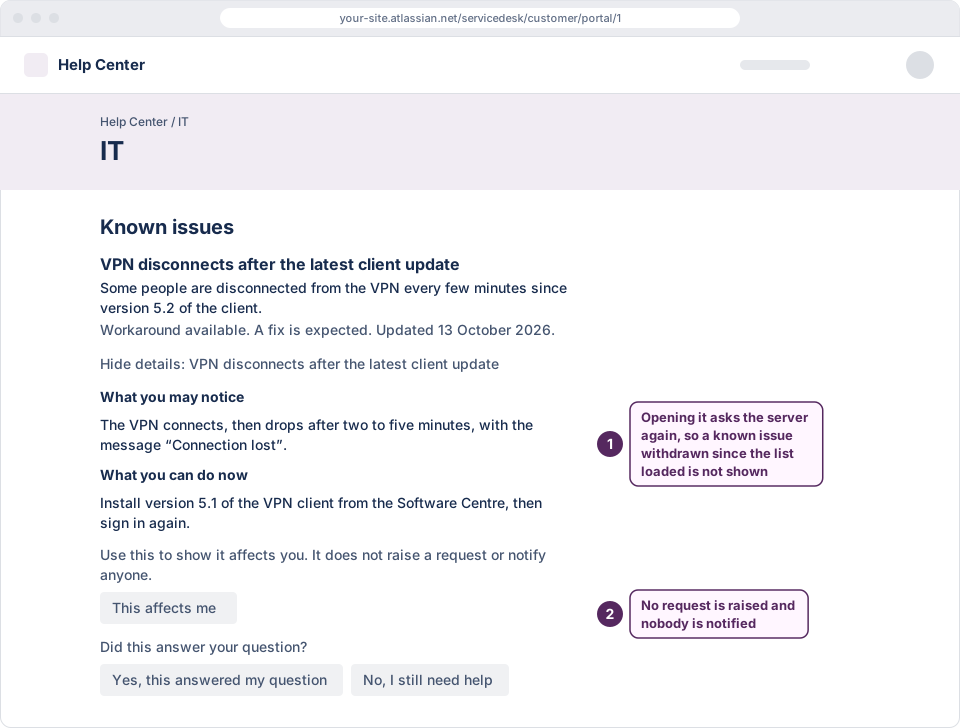
Illustration: a known issue opened on the portal, with Kenvara's feedback buttons On the create screen
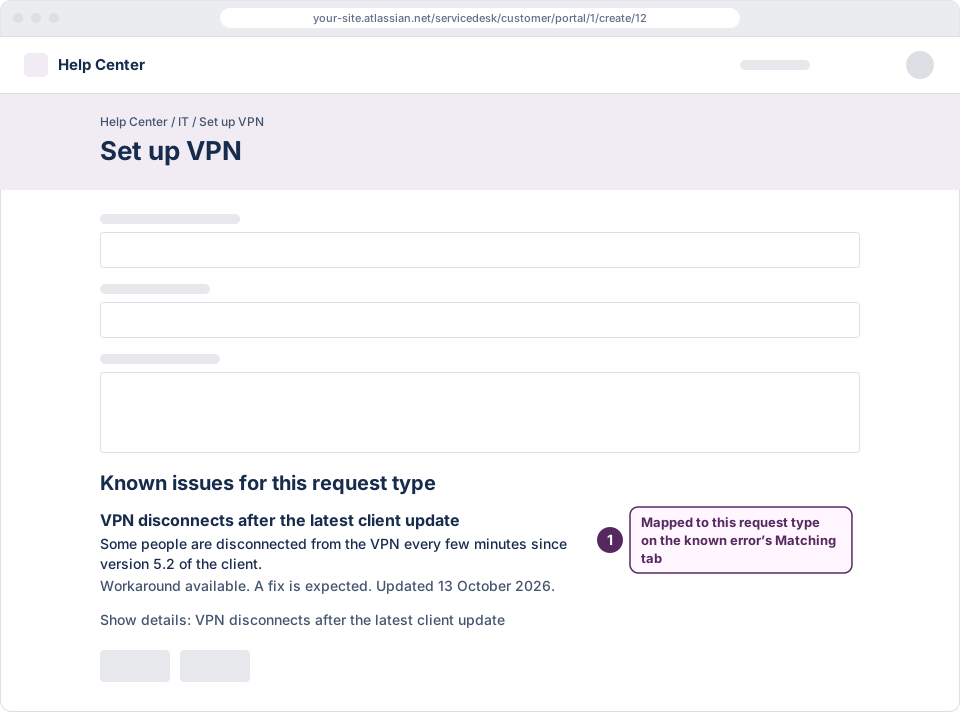
The known issues mapped to the request type a customer is raising, under “Known issues for this request type”, while they fill in the form.
 (opens the full-size illustration)
Illustration: Kenvara's known issues on a portal's create screen On a request
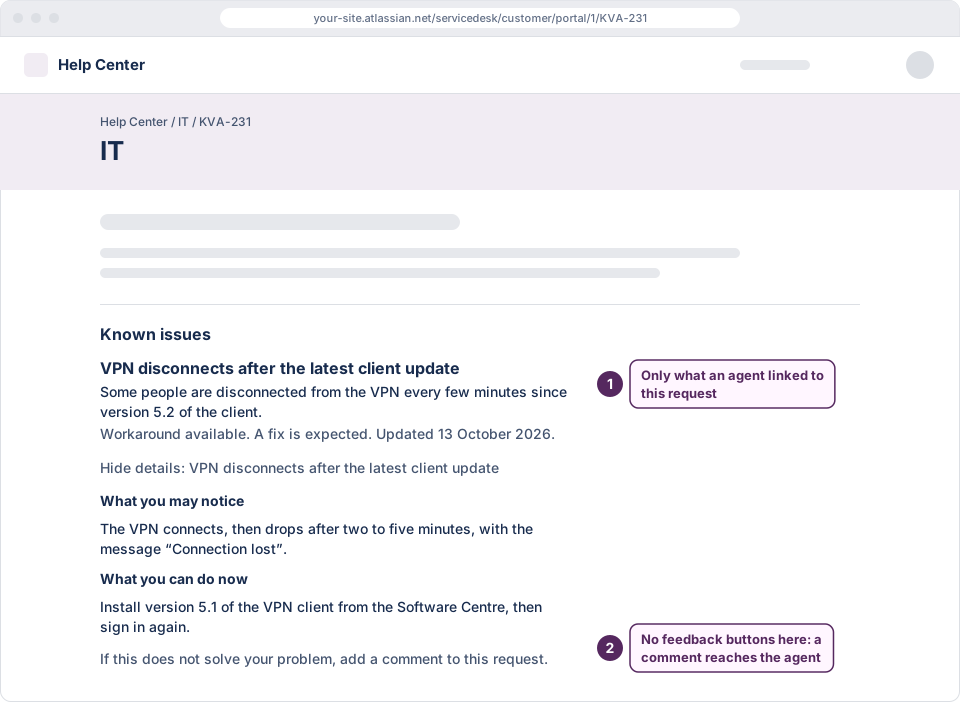
A panel titled “Known issues” on the request a customer is already reading, showing what is linked to it.
 (opens the full-size illustration)
Illustration: Kenvara's "Known issues" panel on a customer's request In the agent’s workbench
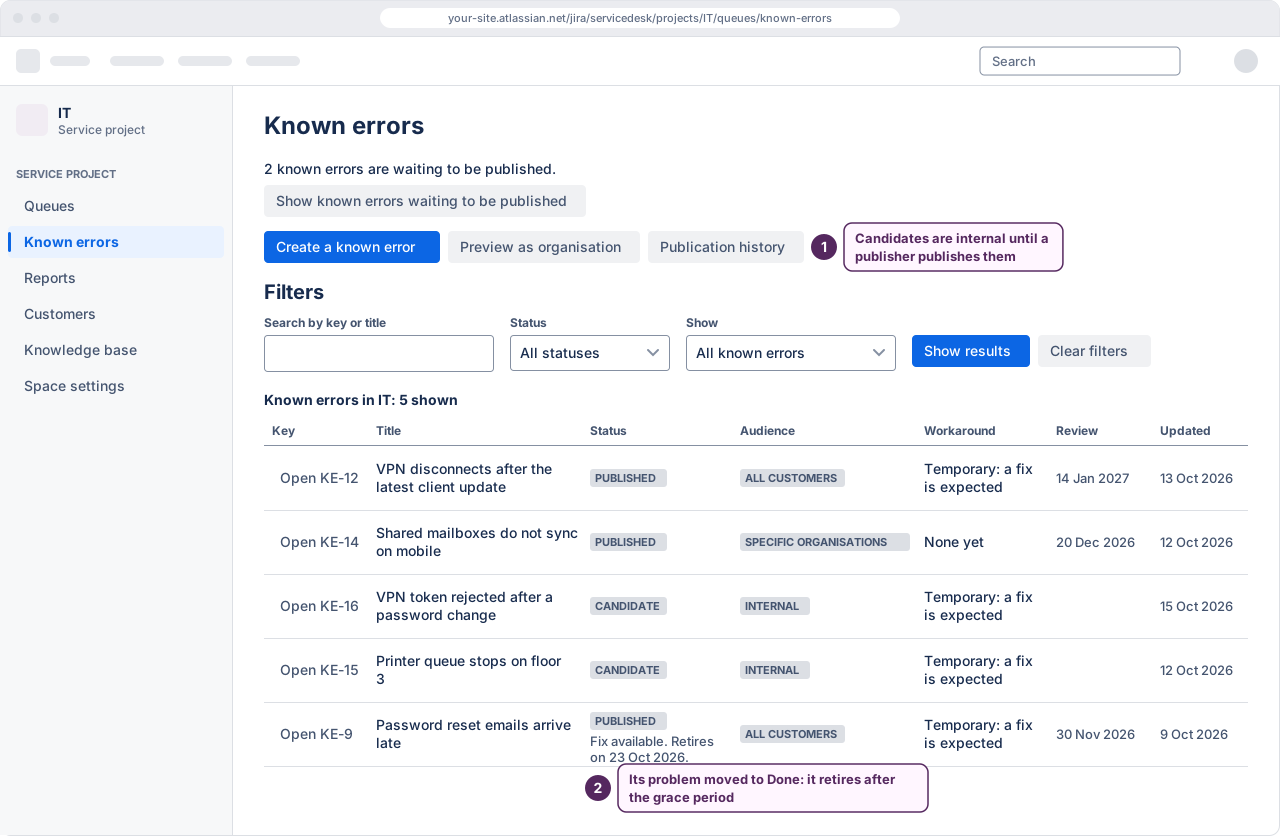
One place to write a known error, link it to its problem, publish it to an audience and retire it.
 (opens the full-size illustration)
Illustration: the Known errors workbench in Kenvara
Every feature, grouped as the product is, and what customers see on the portal.
One app, bought through Atlassian
Kenvara is one app, paid through Atlassian, with Atlassian's 30-day evaluation. Every feature is in it while its licence is active. Kenvara on the Atlassian Marketplace.
Security is never the paid part: a licence can only remove what a customer sees, never add to it. Without an active licence, Kenvara is read-only, with export: customers see nothing from it, and your known errors can still be read and exported.
A known error published to specific organisations reaches the members of those organisations, whether they use the portal with a portal-only account or sign in with an Atlassian account. Those who sign in with an Atlassian account are scoped by organisation only once Kenvara's daily check of the site's organisations covers three or more and is current; until then, and for anyone who belongs to more than half of the site's organisations, they see only known issues published to all customers.
What Jira Service Management does already
An agent can record a workaround on a problem. Jira Service Management has no known-error record, status or field, no review discipline for one, and no way to show one to customers scoped by organisation. Kenvara adds those and leaves the rest of your service project alone.
How it works, step by step, how what a customer sees is enforced, and how to set it up on a service project.